> ## Documentation Index
> Fetch the complete documentation index at: https://docs.codenullapp.com/llms.txt
> Use this file to discover all available pages before exploring further.

# Card List

> You can configure the following options

### Configuration

You can configure the following options

* Header Properties
* Data Source
* Default Click
* Item Actions
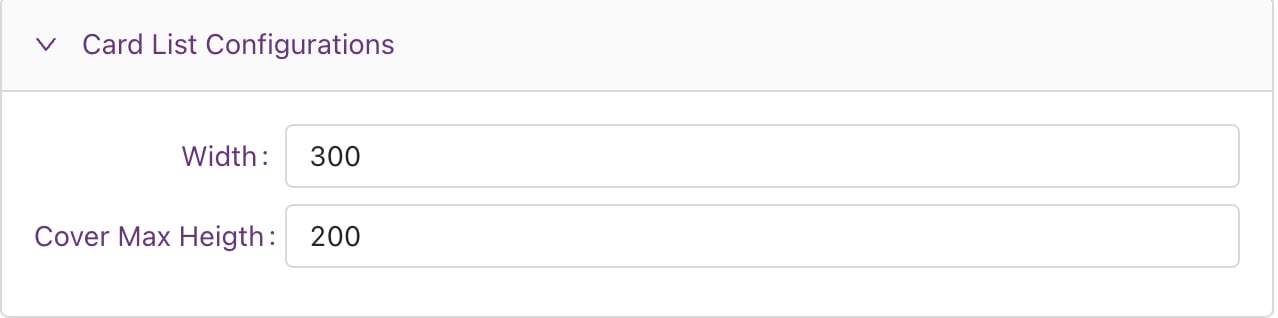
* Card List Configurations

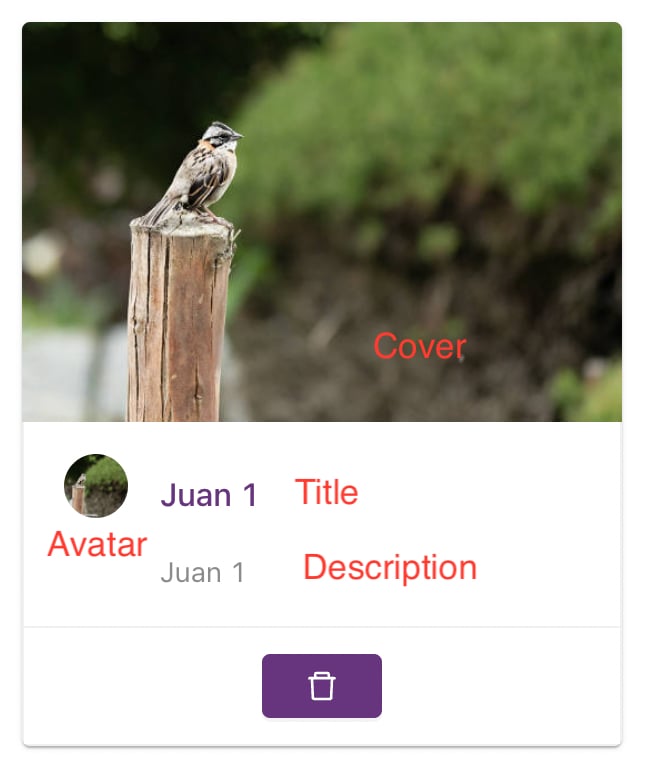
Most of the configurations are exactly the same as the Grid List or Data Grid. The only things you must configure differently are:

#### Fields Configuration
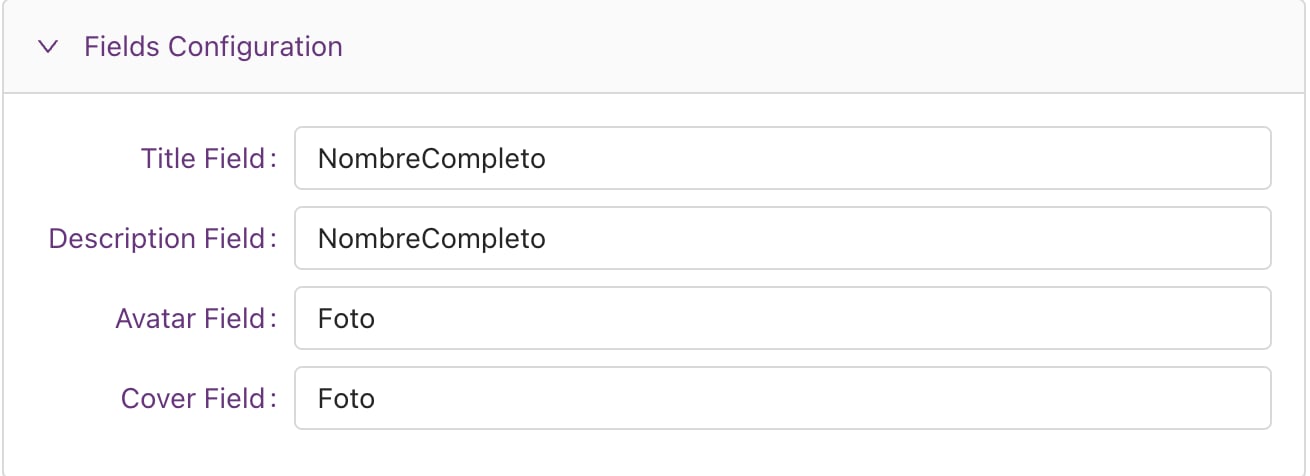
<img src="https://mintcdn.com/codenull/9RtgKoAtzvpYtN-c/images/8HOjZu5qsKPSUWZjNsyu.png?fit=max&auto=format&n=9RtgKoAtzvpYtN-c&q=85&s=b36337a8945574e07de660419824e749" alt="" width="1310" height="476" data-path="images/8HOjZu5qsKPSUWZjNsyu.png" />

<img src="https://mintcdn.com/codenull/9RtgKoAtzvpYtN-c/images/S8uvRgDt8tzVRpUNBbrD.png?fit=max&auto=format&n=9RtgKoAtzvpYtN-c&q=85&s=3af13073856d3783c0b66c58c7f7f16b" alt="" width="646" height="784" data-path="images/S8uvRgDt8tzVRpUNBbrD.png" />

#### Card List Configurations

<img src="https://mintcdn.com/codenull/9RtgKoAtzvpYtN-c/images/EU4PQGk2IkJiYEcVeAla.png?fit=max&auto=format&n=9RtgKoAtzvpYtN-c&q=85&s=848763af76e6b91db45f280d3541f00f" alt="" width="1278" height="318" data-path="images/EU4PQGk2IkJiYEcVeAla.png" />

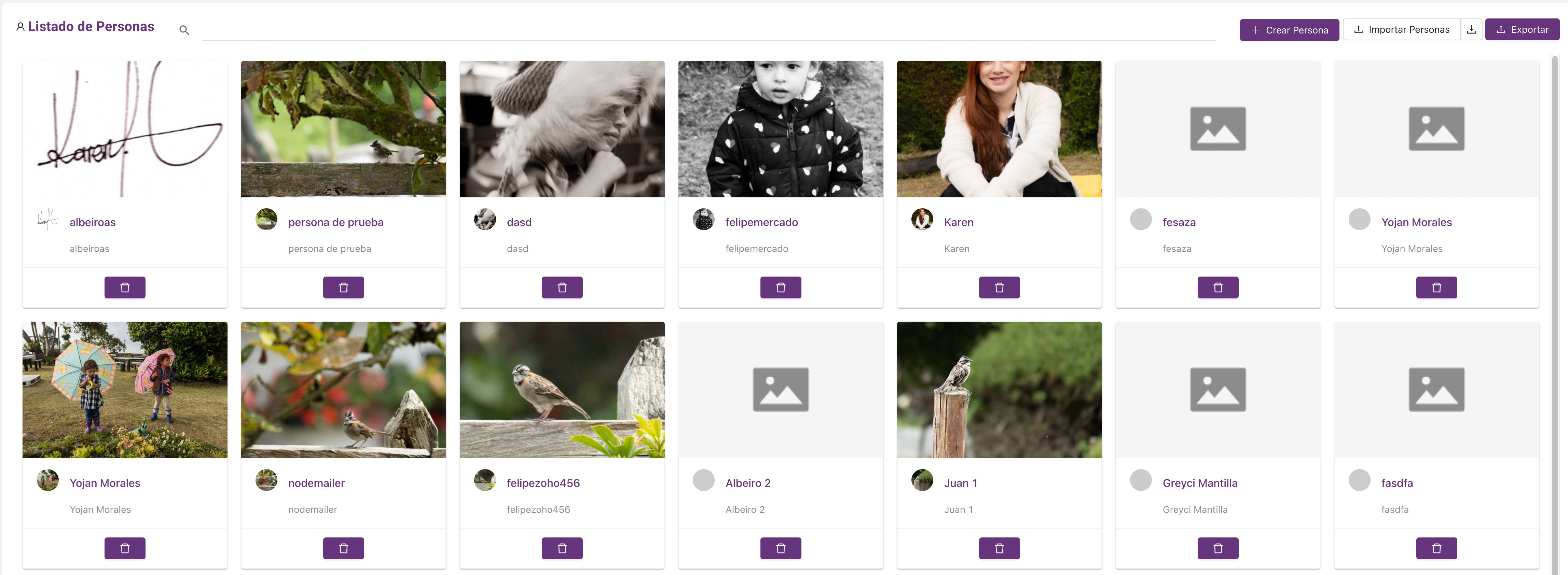
The Card List components look like this
<img src="https://mintcdn.com/codenull/fUND-Qmj85v5Oam-/images/osiCa9Lqb6o2Hb0T1XIk.png?fit=max&auto=format&n=fUND-Qmj85v5Oam-&q=85&s=57a2b2ed12b278a253052691896f3def" alt="" width="4590" height="1684" data-path="images/osiCa9Lqb6o2Hb0T1XIk.png" />