Not passing parameters to the modal
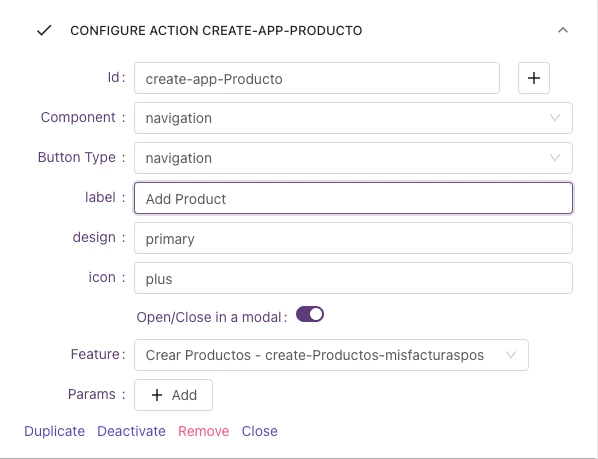
We have a GridList with a Global Action that says “Add Product” and we want to open a form to add a new Product, if we want to open that feature as a modal you should the following steps:- Go to the designer of the GridList feature
- In the Global Actions Configuration section check the option “Open/Close in a modal”
- Select the feature you want to open on the Modal. The final configuration should looks like the next image:
Passing parameters to the modal
This is useful when we want to edit an item in a modal and we want the
Id from the context of the RowOn the feature that will open the modal…
- Go to the designer of the GridList feature
- In the Default Click Actions Configuration section check the option “Open/Close in a modal”
- Select the feature you want to open on the Modal.
- Besides that, configure the params (On the Params option) you want to pass to the Feature you want to open in the modal. In this case, we want to pass the Id that comes from the context
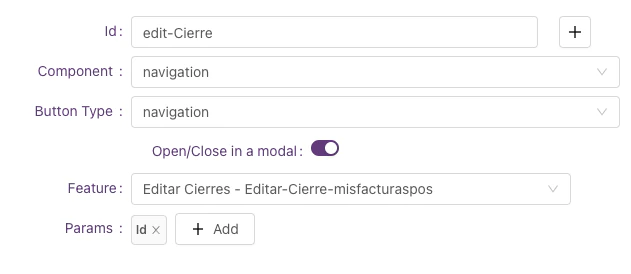
If you don’t define any parameter the entire data item of the GridRow will be passed to the modal
On the Feature that will be opened…
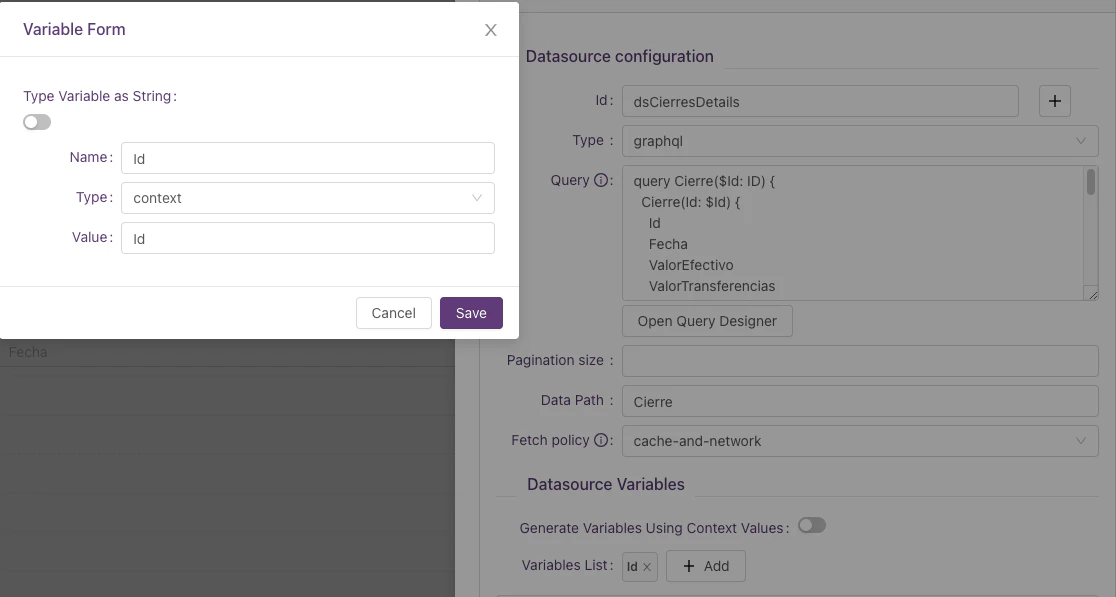
Now we need to make sure that the feature that will be opened in the modal, receives those parameters from the context in the data source.- Go to the designer of the feature that needs to be opened
- On the datasource add the received parameters. In this case, we want the
idvariable from the context
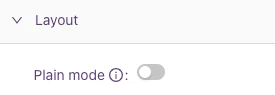
Tip: To avoid double cards on the modal don’t forget to enable the “Plain mode” check on the Layout section
This only works for Navigation Buttons
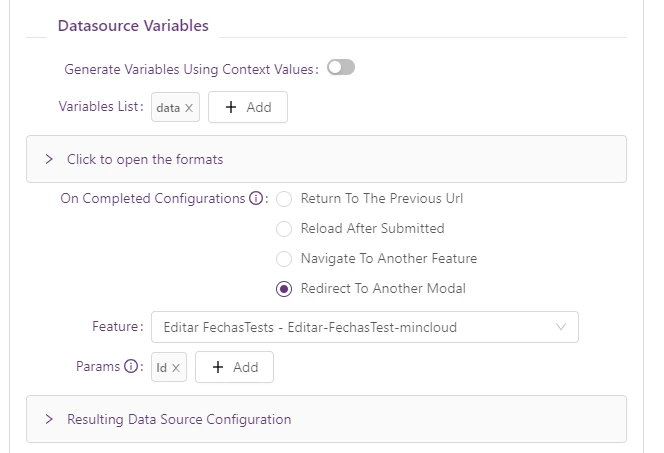
Redirect between Modals
Redirect from a Modal to another Modal, (e.g. Adding a new record when it is created can be shown in Edit mode in the same modal)- if you want to use it, go to the submit Datasource form in the designer and configure the new onCompleted option “Redirect To Another Modal”